Your Browser Is Becoming Your Daily Productivity OS
The browser is no longer just for reading websites. It is becoming the place where people format JSON, test APIs, convert files, clean text, optimize images, check SEO, and finish everyday work faster.
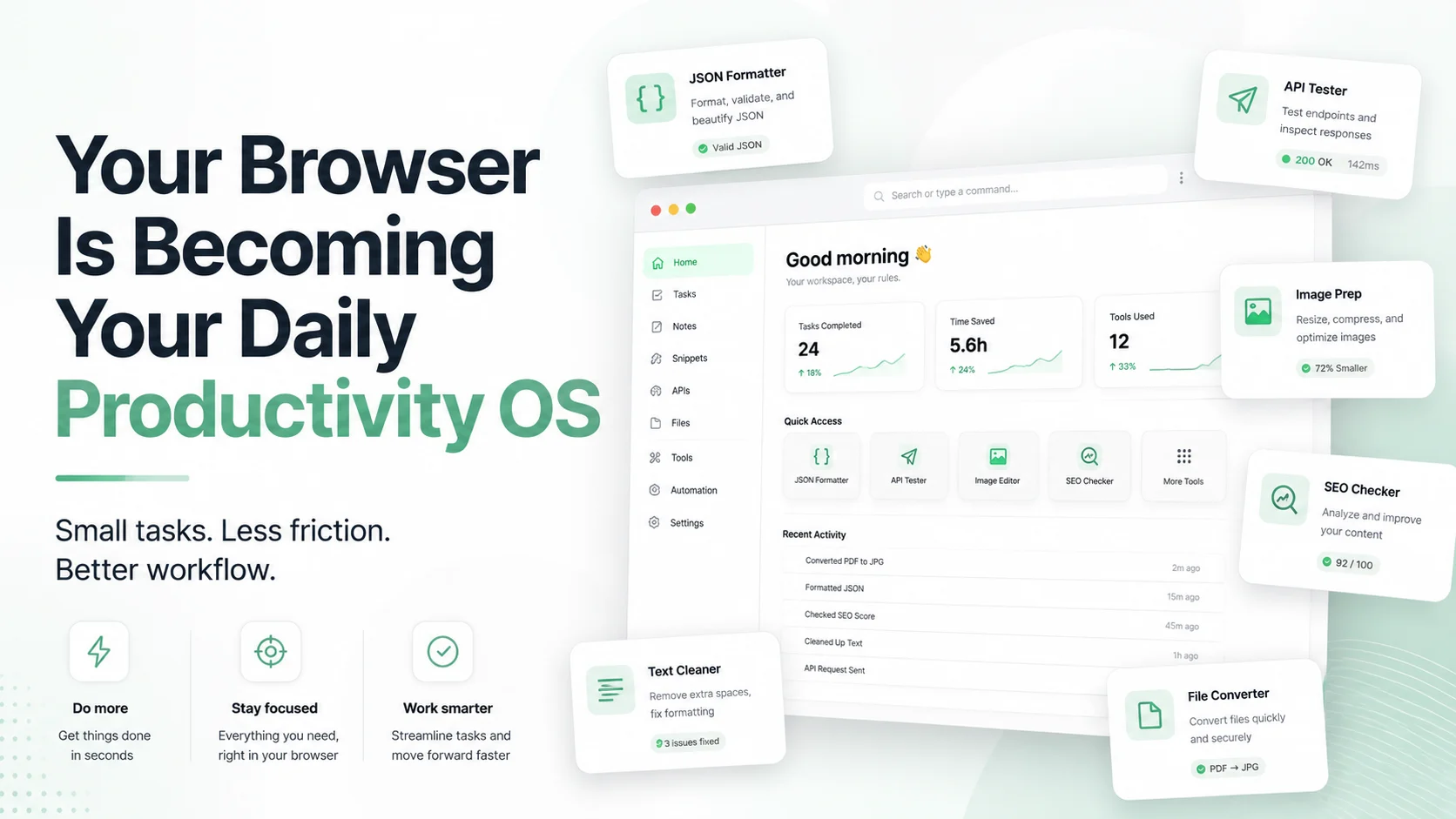
The browser used to be where you visited websites.
Now it is where you work.
You write in it. You test APIs in it. You manage dashboards in it. You convert files in it. You format JSON in it. You compress images in it. You preview SEO metadata in it. You open documents, clean text, debug payloads, and solve small workflow problems without installing anything.
That shift matters.
For years, small productivity tasks were scattered across desktop apps, browser extensions, command-line tools, heavy SaaS platforms, and random one-purpose websites. The modern web is changing that. Today, many useful tasks can run directly inside the browser with fast interfaces, local file handling, and lightweight workflows.
This is the idea behind ToolsFam: a clean browser-based workspace for everyday tools that help developers, creators, marketers, students, and small teams finish practical tasks faster.
Explore the full workspace here: ToolsFam tools.
The browser is becoming the default workbench
Most people do not want to install a separate app for every small task.
They do not want to open a heavy desktop application just to format JSON, convert a CSV, resize an image, test an API request, clean text, generate a UUID, decode a URL, or check a timestamp.
They want the task done quickly.
That is why browser-based tools are becoming part of daily work. The browser is already open. It works across devices. It does not require setup for basic workflows. It can support fast, focused tools without forcing the user into a full software suite.
Modern browser APIs also make this direction stronger. MDN documents browser capabilities such as the File API, which allows web applications to work with files selected by the user, and the Web Storage API, which supports simple origin-based browser storage for web applications.
This does not mean every web tool is automatically better than a desktop app. It means the browser is now powerful enough for many everyday utility workflows that previously required separate software.
The new productivity stack is smaller and faster
A lot of productivity is not about big platforms. It is about removing friction from small repeated tasks.
Think about a normal workday:
- A developer formats a messy API response.
- A marketer checks title and meta description length.
- A student converts text into cleaner notes.
- A founder compresses an image before publishing a post.
- A support person cleans a CSV export.
- A QA tester validates JSON before reporting a bug.
- A freelancer converts markdown into HTML.
None of these tasks should feel heavy.
They should be fast, clear, and available immediately.
That is why a browser productivity OS makes sense. Not an operating system in the traditional sense, but a practical daily workspace where useful tools are always one search away.
What makes a browser tool actually useful?
A good browser tool should not feel like a toy. It should respect the user’s time.
The best tools usually have these qualities:
- Fast start: no unnecessary account wall for simple tasks.
- Clean interface: the user should know what to do immediately.
- Focused output: results should be easy to copy, download, compare, or reuse.
- Local-first where possible: simple text and file operations should avoid unnecessary uploads when the workflow allows it.
- Helpful defaults: users should not configure ten options before getting value.
- Real utility: the tool should solve an actual workflow, not just exist for SEO.
Google Search Central also recommends creating helpful, reliable, people-first content rather than content made only to attract search traffic. The same idea applies to tools: a tool page should be useful first, searchable second. You can read Google’s guidance here: Creating helpful, reliable, people-first content.
Why speed and responsiveness matter
Small tools are only useful when they feel instant.
If a JSON formatter lags, if an image converter feels confusing, if a PDF tool hides the main action, or if a search panel does not respond well to keyboard input, the user loses trust quickly.
Google’s Web Vitals guidance explains that user experience includes loading performance, interactivity, and visual stability. Interaction to Next Paint, or INP, became a Core Web Vital for responsiveness, replacing First Input Delay in March 2024. You can read more from web.dev here: Interaction to Next Paint.
For a tools platform, that matters because the product is the interaction. The user is not just reading. They are pasting, typing, selecting files, dragging items, copying output, switching views, and testing results.
A browser tool should feel calm and responsive, not overloaded.
Common daily workflows that belong in the browser
Here are practical workflows that make sense inside a modern browser tools workspace.
1. JSON and API debugging
Raw JSON is difficult to scan. Developers often need to format, validate, compare, minify, inspect, or convert JSON quickly.
Useful ToolsFam tools:
2. SEO preview and cleanup
Small SEO tasks happen constantly: checking title length, writing meta descriptions, previewing snippets, cleaning URLs, and validating page content before publishing.
Instead of using five separate tools, a browser workspace can keep these tasks close to the actual publishing workflow.
Start from: ToolsFam tools.
3. Image preparation
Creators and marketers often need to resize, convert, compress, or prepare images before posting. A fast browser tool can save time when the task is simple and does not require a full design suite.
4. Text cleanup
Text tools are underrated. Removing extra spaces, converting case, cleaning copied content, formatting markdown, or preparing HTML can save time every day.
Useful ToolsFam tools:
5. Developer utilities
Developers constantly need small utilities: UUID generation, hashing, URL encoding, Base64 encoding, timestamps, SQL formatting, XML formatting, and more.
Useful ToolsFam tools:
The best tool is the one you can reach instantly
One reason browser tools work so well is access.
If a tool is buried inside an installed app, hidden behind a login, or overloaded with ads and distractions, users avoid it. But if a tool is fast, searchable, bookmarkable, and easy to use, it becomes part of the user’s daily rhythm.
This is why tools platforms should care about:
- Fast search
- Keyboard navigation
- Bookmark-friendly pages
- Clear categories
- Readable output
- Copy and download actions
- Responsive layouts
- Dark and light mode readability
- Helpful examples
Productivity does not always come from adding more features. Sometimes it comes from removing friction.
A better daily workflow
Here is a simple browser-first workflow for everyday utility tasks:
- Search for the exact tool you need.
- Paste sample data or select a safe file.
- Run the task locally where possible.
- Review the result clearly.
- Copy, download, or reuse the output.
- Bookmark the tool if it becomes part of your routine.
That is the kind of workflow ToolsFam is designed to support.
Why this is bigger than tools
The browser is becoming the center of small work.
Not because every task should become a web app, but because many daily tasks are too small to deserve a full app. They need a focused interface, reliable output, and instant access.
This is where browser-based utility platforms can become genuinely useful. Not by promising to replace every tool, but by helping users finish dozens of small tasks without breaking flow.
FAQ
What is a browser productivity OS?
It is not a literal operating system. It means using the browser as a daily workspace for common tasks like formatting JSON, testing APIs, converting files, cleaning text, preparing images, and checking SEO.
Are browser tools better than desktop apps?
Not always. Desktop apps are still better for advanced editing, offline-heavy work, and specialized professional tasks. Browser tools are better for quick, focused, everyday workflows that should not require setup.
Can browser tools work with local files?
Yes, modern browser APIs can support user-selected file workflows. The exact behavior depends on how the tool is built and what permissions the user grants.
What ToolsFam tools are useful for developers?
Developers can start with JSON Formatter, JSON Validator, API Playground, UUID Generator, Hash Generator, URL Encoder, Base64 Encoder, Unix Timestamp, SQL Formatter, and XML Formatter.
Why should I bookmark tools?
If you use a tool repeatedly, bookmarking it removes search friction. Small time savings compound when the same workflow appears every day.
Final takeaway
The browser is no longer just where work is viewed. It is where more work gets finished.
For small daily tasks, the winning experience is simple: open the tool, do the task, copy the result, move on.
That is what ToolsFam is building toward — a cleaner, faster, browser-based workspace for everyday tools.
Explore ToolsFam here: https://www.toolsfam.com/tools