JPG vs PNG vs WebP vs AVIF: Which Image Format Should You Use in 2026?
A practical guide to choosing the right image format for websites, blogs, SEO, compression, transparency, screenshots, and everyday file conversion.
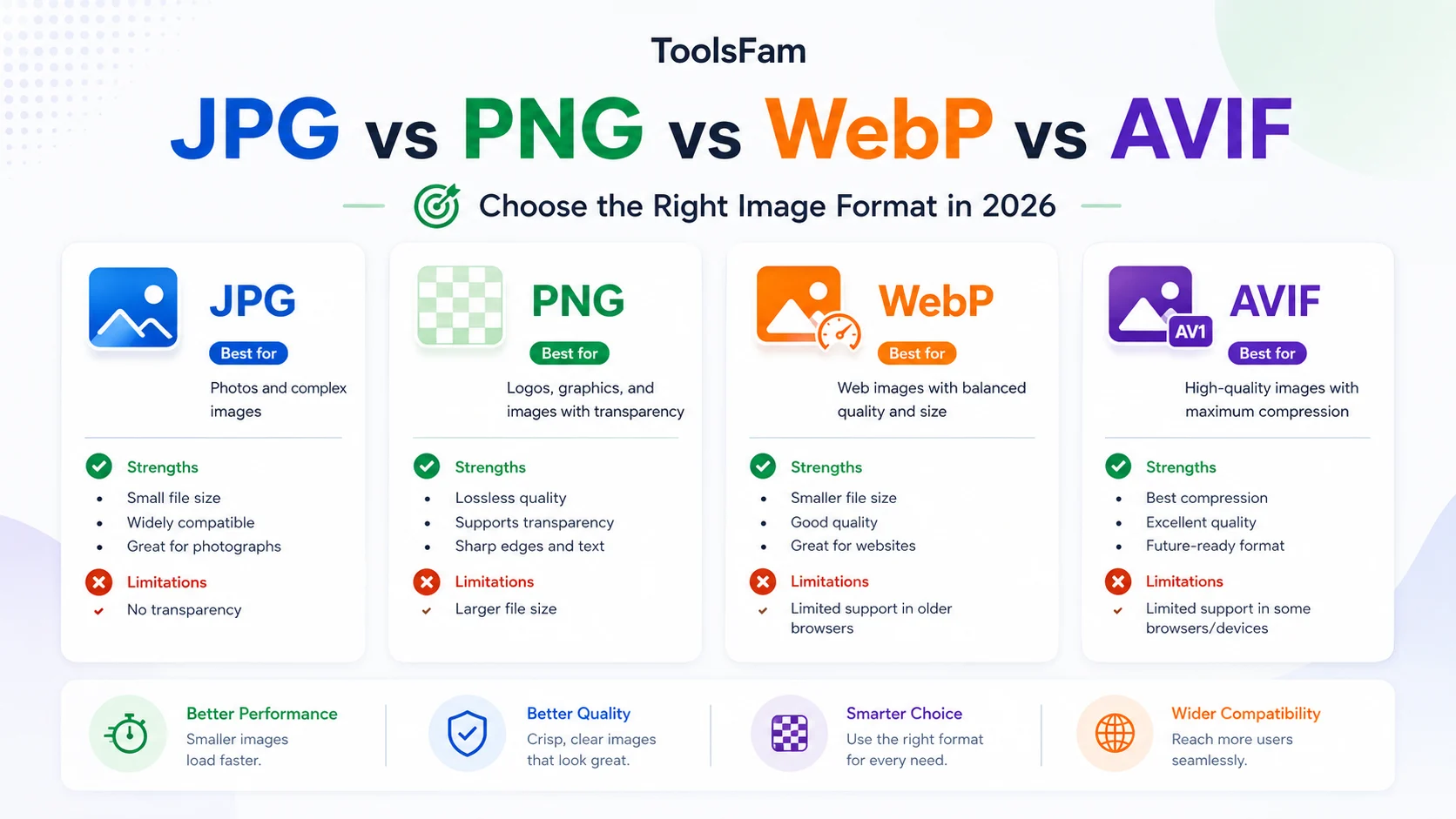
Choosing the wrong image format can make a website slower, create blurry visuals, break transparency, or produce files that are much larger than needed. In 2026, the choice is no longer just JPG vs PNG. WebP and AVIF are now common options for modern websites, but each format still has a different purpose.
This guide explains when to use JPG, PNG, WebP, and AVIF, how they affect website performance and SEO, and how to choose the right format before uploading images to your website, blog, product page, portfolio, or social media workflow.
Quick answer
- Use JPG for simple photos when compatibility matters more than file size.
- Use PNG for screenshots, sharp graphics, transparent images, and lossless quality.
- Use WebP as the best general-purpose web format for most modern websites.
- Use AVIF when you want very small file sizes and strong compression for modern browsers.
If you are not sure, WebP is usually the safest modern default for web images. AVIF is excellent for performance-focused sites, but you should still think about fallback behavior and your audience.
What is JPG best for?
JPG, also called JPEG, is one of the oldest and most widely supported image formats. It is designed for photos and complex images with many colors. It uses lossy compression, which means the file becomes smaller by removing some image detail.
JPG is still useful when you need broad compatibility, email-friendly images, older CMS support, or printable photo workflows. But for websites, JPG is often no longer the most efficient option. A properly compressed WebP or AVIF version can often be smaller while looking similar to users.
Use JPG for:
- Photos where transparency is not needed
- Email attachments
- Older tools or platforms that do not support modern formats well
- Simple compatibility-first workflows
Avoid JPG for:
- Logos with sharp edges
- Screenshots with text
- Transparent images
- Images that need repeated editing and saving
What is PNG best for?
PNG is a lossless image format. That means it keeps image detail without the same kind of quality loss you get from JPG compression. It is useful for screenshots, UI graphics, diagrams, icons, and images that need transparent backgrounds.
The downside is file size. PNG files can become heavy, especially for large screenshots or full-width website images. If you upload large PNG files directly to a blog or landing page, they can slow down loading and hurt user experience.
Use PNG for:
- Screenshots with readable text
- Transparent graphics
- UI mockups
- Simple illustrations
- Images where lossless quality matters
Avoid PNG for:
- Large website hero images
- Photo-heavy pages
- Blog posts with many images
- Performance-sensitive pages where WebP or AVIF works better
What is WebP best for?
WebP is a modern image format designed for the web. It supports lossy compression, lossless compression, transparency, and animation. According to MDN Web Docs, WebP generally offers much better compression than PNG or JPEG while supporting modern image features.
For most websites in 2026, WebP is a strong default choice. It works well for blog images, product images, thumbnails, screenshots, social preview images, and general website assets.
Use WebP for:
- Website images
- Blog cover images
- Product thumbnails
- Compressed screenshots
- Images that need transparency but should stay smaller than PNG
If you are optimizing a website, converting large JPG or PNG images to WebP is often one of the fastest ways to reduce page weight.
What is AVIF best for?
AVIF is based on the AV1 video codec and is designed for very efficient compression. It can produce small files with good visual quality, especially for photos and large website images.
The tradeoff is that AVIF can be slower to encode, and you should be more careful with compatibility if your audience includes older browsers or older devices. For modern websites, AVIF works especially well for hero images, large editorial visuals, landing pages, and performance-focused image delivery.
Use AVIF for:
- Large website images
- Hero images
- Performance-focused pages
- Photo-heavy websites
- Cases where every kilobyte matters
Be careful with AVIF when:
- Your users may use older browsers
- Your image workflow requires very fast conversion
- You need simple universal compatibility
- Your CMS or platform has weak AVIF support
Image SEO: format is only one part
Choosing the right format helps performance, but image SEO also depends on how you add images to the page. Google Search Central recommends using standard HTML image elements, descriptive filenames, useful alt text, responsive images, and supported image formats.
For SEO, avoid hiding important images only as CSS background images. Use normal image markup when the image matters to the page content.
A practical image format workflow
- Start with the image purpose. Is it a photo, screenshot, logo, transparent graphic, or social image?
- Choose the format. Use WebP for most web images, PNG for lossless transparency or screenshots, JPG for compatibility, and AVIF for maximum compression.
- Compress before upload. Large images slow down pages even if the format is modern.
- Use descriptive filenames. For example, use
json-formatter-preview.webpinstead ofIMG_2048.webp. - Add helpful alt text. Describe the image naturally for accessibility and search context.
- Check the result visually. A smaller file is not useful if text becomes blurry or important detail is lost.
Common mistakes to avoid
- Uploading huge PNG screenshots directly to blog posts
- Using JPG for transparent images
- Using PNG for large photos when WebP would be smaller
- Converting every image to AVIF without checking compatibility
- Using vague filenames like
image-final-new-2.png - Forgetting alt text
- Compressing images so much that UI text becomes unreadable
Where ToolsFam helps
ToolsFam is built for quick browser-based utility workflows. If you are preparing images for a blog post, website, social media post, student project, or product page, you can use ToolsFam tools to handle common formatting, conversion, and cleanup tasks in one place.
For image-heavy workflows, a useful habit is to check the image format, reduce file size where possible, and keep a clean naming structure before publishing. You can start from the ToolsFam homepage or explore the full tools directory at ToolsFam tools.
External references
- MDN Web Docs: Image file type and format guide
- Google Search Central: Image SEO best practices
- Chrome Lighthouse: Serve images in modern formats
- web.dev: Deploying AVIF for responsive websites
FAQ
Is WebP better than JPG?
For most website images, WebP is usually a better modern choice because it can reduce file size while keeping good visual quality. JPG is still useful when compatibility matters or when a platform does not accept WebP.
Is AVIF better than WebP?
AVIF can often create smaller files than WebP, especially for large images and photos. But WebP is still a safer everyday default because it is widely supported and easier to use in many workflows.
Should I use PNG for website images?
Use PNG when you need lossless quality, transparency, or sharp screenshots. Avoid using large PNG files for photos or hero images because they can be much heavier than WebP or AVIF.
Which image format is best for SEO?
There is no single best format for SEO. Use a supported format, keep file sizes reasonable, add descriptive alt text, use normal image elements, and make sure images load quickly.
Can I convert images online safely?
For public images, online conversion is usually low risk. For private documents, IDs, customer screenshots, or confidential files, prefer tools that process locally in the browser where possible and avoid unnecessary uploads.
Final takeaway
In 2026, WebP is the practical default for most web images. AVIF is excellent when you want stronger compression. PNG is still valuable for transparency and sharp graphics. JPG remains useful for compatibility. The right choice depends on the image type, where it will be published, and how much file size matters.
For quick image, file, SEO, and browser utility workflows, explore ToolsFam tools.